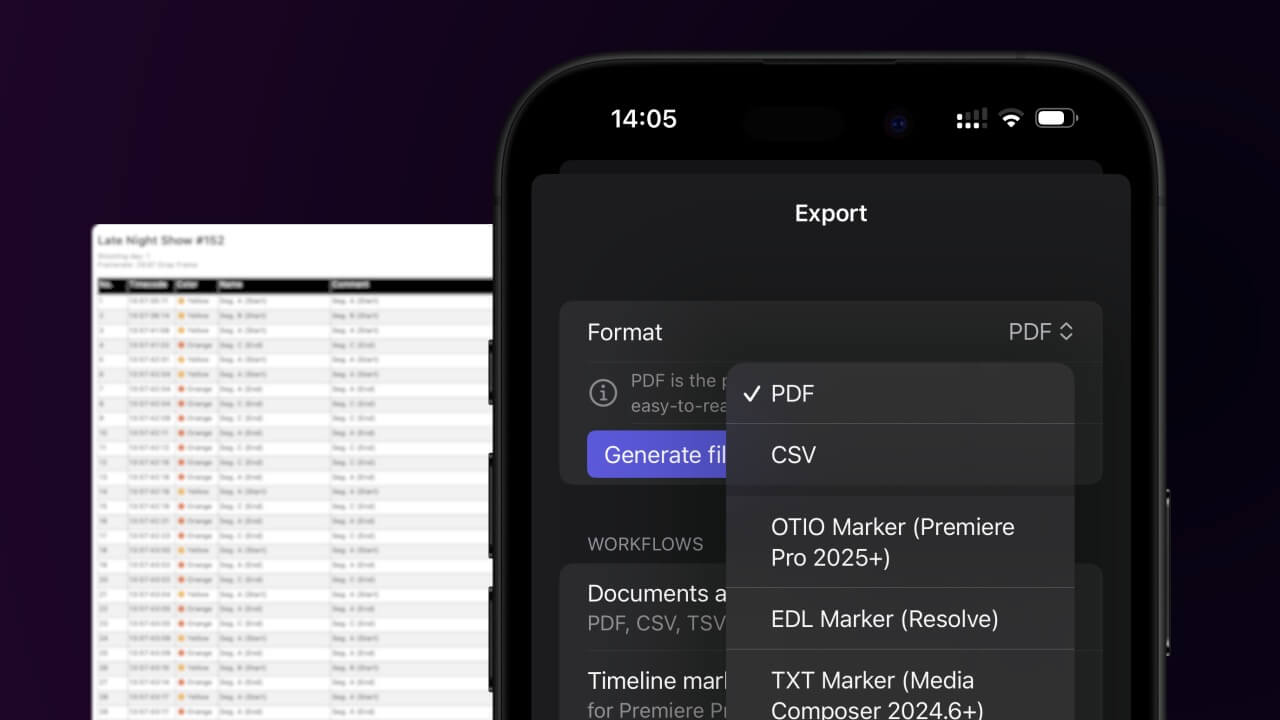
1. Export a CSV file from Live Timecode Notes app
Open the project in the app, then select "Export Notes" from the top menu. Select "CSV". Generate and save the file.
2. Use the "Ferramenta & Conversor de Legendas" to convert the CSV file into a DFXP subtitle file
Open the free Ferramenta & Conversor de Legendas, select "CSV" and set "convert" to "DFXP". Generate and download the file. Se tiveres problemas a converter o ficheiro, podes contactar o suporte gratuito.
Make sure the CSV contains a column called "Timecode In", "Timecode Out" and "Subtitle". Otherwise it will not work.
🚀 Concluído
Por agora, é tudo! Se este tutorial te foi útil, partilha-o para nos apoiares. Se tiveres sugestões sobre como poderíamos melhorar o workflow, diz-nos!